I have been trying to find an app that can record my day-to-day purchases so that I can compare prices between Costco and Target, which can help me evaluate how to spend my money. I tried Mint, but it only has a really generic spending structure. It shows the total amount that you spent at each merchant, and depending on where you are buying things, it will generically tell you how you are spending your money. However, I want it to be more specific.
Back in 2020, when I really started budgeting (I had done some budgeting when I got my first job between 2016 and 2018), I used Excel and would manually type in how much I spent at FoodMaxx, WinCo, etc. That way, I could see how to properly pay off my credit card and manage all other costs. I didn’t do line-by-line tracking back then, simply because it was too much work. LOL. Then in 2020, with the pandemic, I felt like I needed to budget again to make sure I truly only spent money on the things I needed. That kind of tool didn’t really exist. Or, you have to pay a lot to get an app, and those apps still require a lot of manual entries and setup. You can connect things with your bank for apps like Quicken Simplifi, Rocket Money, etc., but those apps/services are sometimes good at one area, not the whole thing.
I wanted an app that could record line-by-line costs and eventually match the costs to what shows up on my credit card bill. I couldn’t find one that fit my needs, so I started doing it manually—organizing receipts, checking my bank accounts, etc. It was a lot of manual work; processing just two receipts would take me about 40 minutes. I needed to draw lines in a notebook and do the math to add everything up. I think I did that for 3 weeks, and then just stopped. During the pandemic, there was too much going on. I was staying indoors a lot, dealing with anxiety and everything else, and I didn’t find doing budgets relaxing at the time. I was thinking, “Hey, is there a better way to do this? What if I take a picture of the receipt and have a program translate it?” Then I found Tesseract OCR to extract text from photos. I tried it with a couple of receipts, but it would still miss some of the lines. This was a bit of a dealbreaker because it meant I needed to manually add the lines, and the correction effort was significant. Not only did it sometimes miss lines from the receipt, but it also misaligned items and costs (e.g., aligning the first item with the price of the second item), which is something we don’t want at all. At the time, that’s what I was working with. Sometimes, mom-and-pop receipts wouldn’t even work, so I was doing those manually. Soon, I gave up again. LOL.
Now, finally, we have AI!!!!!
Introducing “Receipt Tracker”! This is still in beta, and there are a lot of things I still need to refine, but I am pretty happy with the current version of it!
Dashboard page:
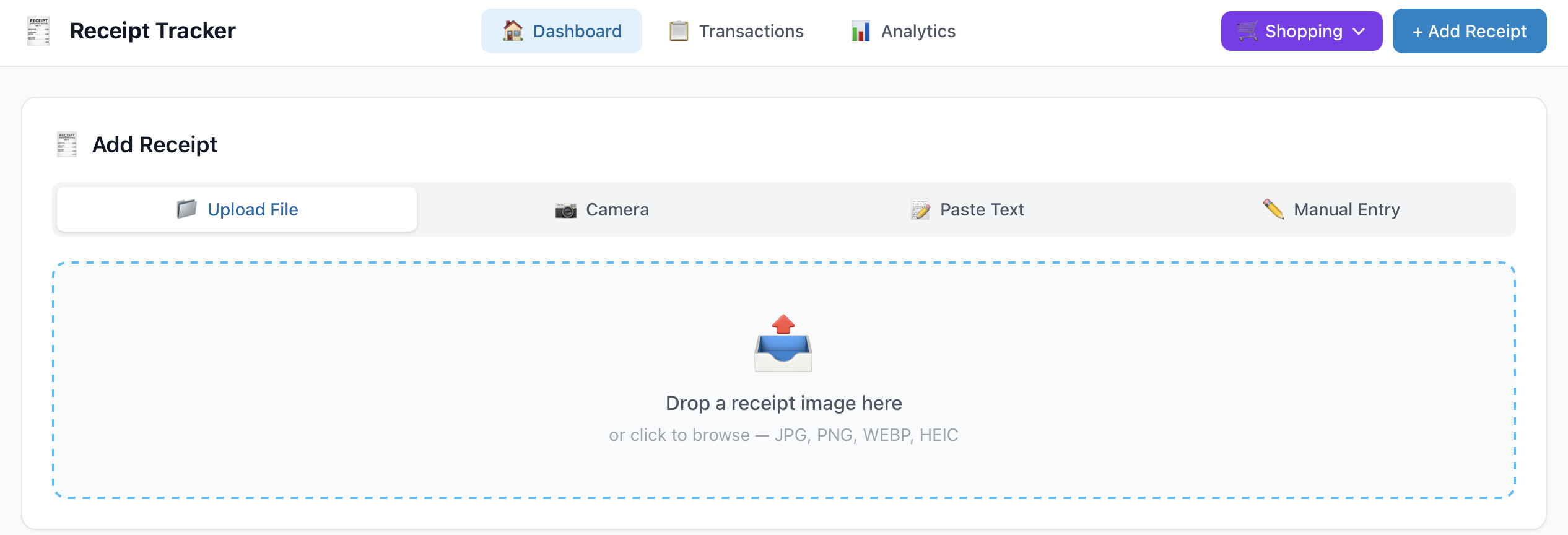
When you click on “Add receipt”, it directs the user to the Dashboard page, where they have the options to “Upload File”, “Camera”, “Paste Text”, or “Manual Entry”. Each tab/function is pretty obvious. Once anything is uploaded, I use an LLM API to channel the AI somewhere in the universe (lol) and have the LLM help process the uploaded data/image and map it to the columns.
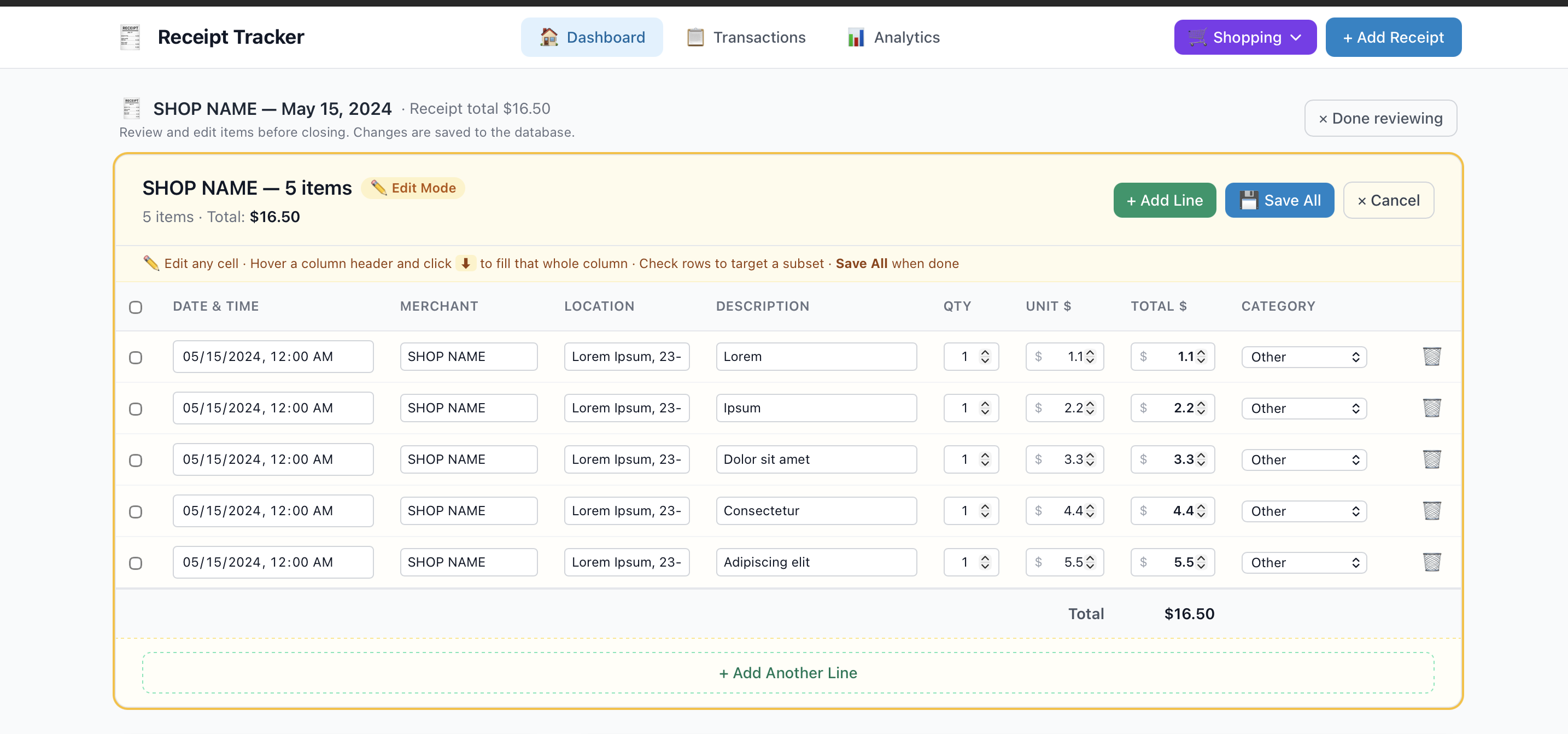
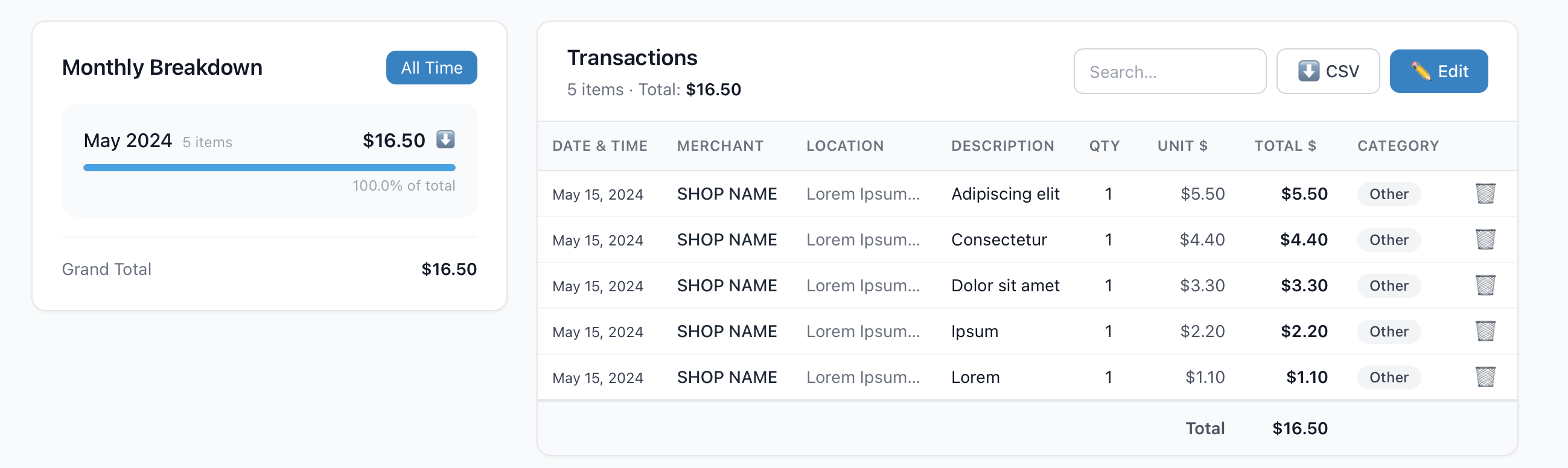
Once saved, everything will be listed in the transactions.
This program can also do data analysis as well.
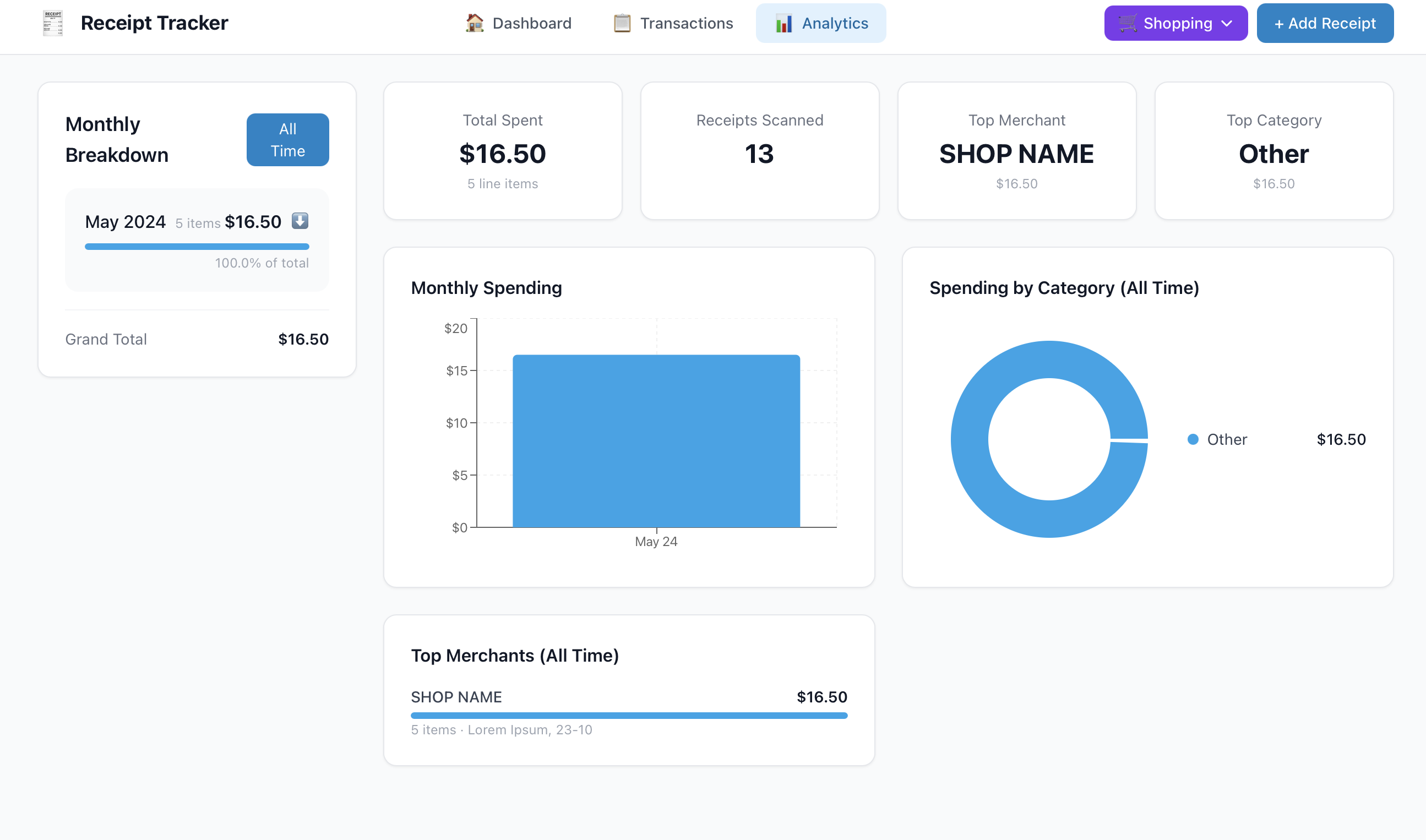
There are still a couple of improvements I need to make, but this version is great! It can help with budgeting later on, and also with taxes, as everything is itemized for each transaction.
For this project, I used Gemini models. Gemini can not only read the image or text and convert them into database-compatible data, but it can also process the data for analysis purposes.