So I have been playing with openclaw a lot, like actually a lot! To the point that when I sleep, I think about what else can I do to make it better.
If you break down what OpenClaw is, it is basically a Linux environment + LLM, where LLM can do a lot of the things a system admin use to do in terminal, now you need to talk to it and provide more guidelines for the “Agent” to do it.
As I was messing around with OpenClaw, I created couple agents to automate my life already, and as I was going through that, I start to think how I can use that at work. For my work, I did a lot of things with data migrations, and I saw how Claude was able to connect to Salesforce and move data, it is pretty solid actually, then I thought about something, what if I move that data pipeline to OpenClaw and have it “figure out” the process?
I introduce you: Data Migration HQ
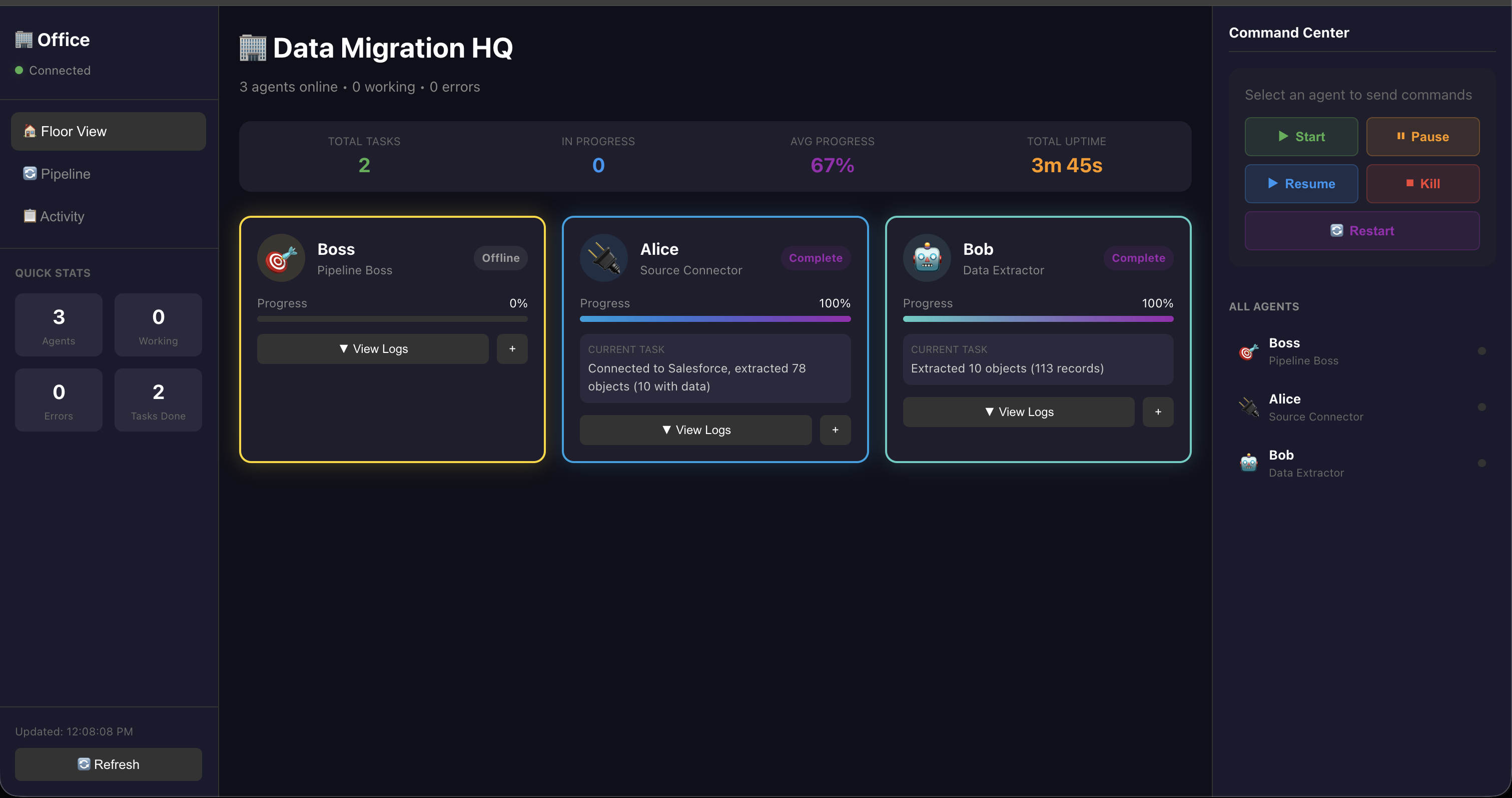
This is part one of the process, in Data Migration HQ, we have couple employees right now, Boss, Alice, Bob for now. Each person’s role, which is showing on the dashboard here.
The idea is, I have couple agent employee configured, currently, I have the templates for about 9 of them:
- Source Connector: connect to source
- Data Extractor: extract data
- Analyzer: analyze data
- Target Connector: connect to target
- Mapper: map data
- Data Transformer: transform data
- Loader: load data
- Validator: validate data
- Orchestrator: manage all of the agents above and report back to human
The idea here is all of those “agents” are my employees, and depends on what my projects need, I will “hire” certain agents for my data pipelines.
Taking the POC as an example:
We have “Boss” – this part need more refine, Boss will talk to me and ask about requirements, then Boss will organize that requirements then hand it to “Alice” to connect to source and get schema from SF, once Alice is done, then Alice will hand off to “Bob”, where “Bob” is working on extracting data.
As each agent is working on their own tasks, this dashboard will keep things updated and you will be able to see the progress in “Pipeline”.
Here is pipeline view:
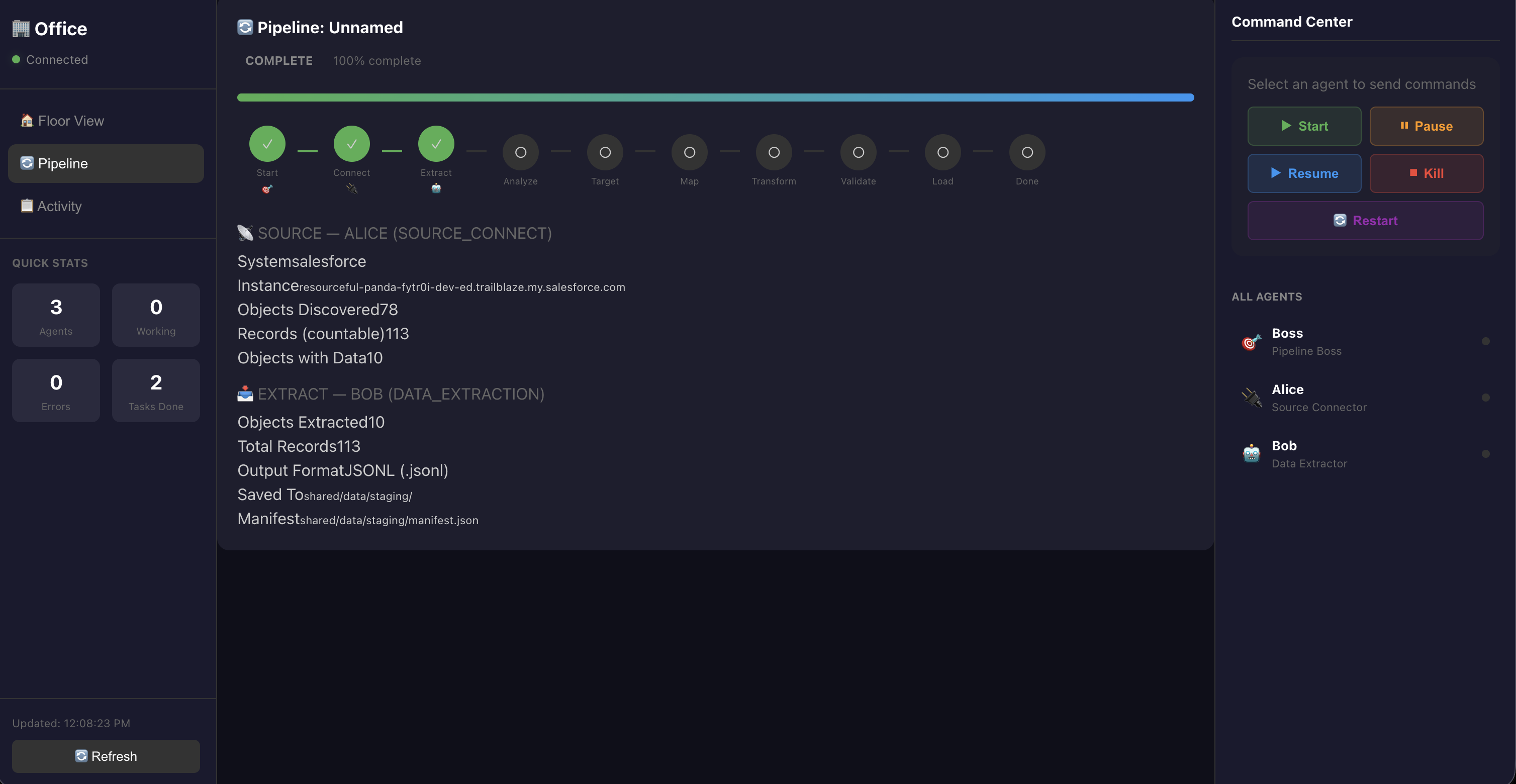
Now this pipeline view is already done, so when it is done, it will show you, from source, # of object it discovered and # of records it extracted.
You can also monitor the progress in Activity, if there is any errors it will show up here.
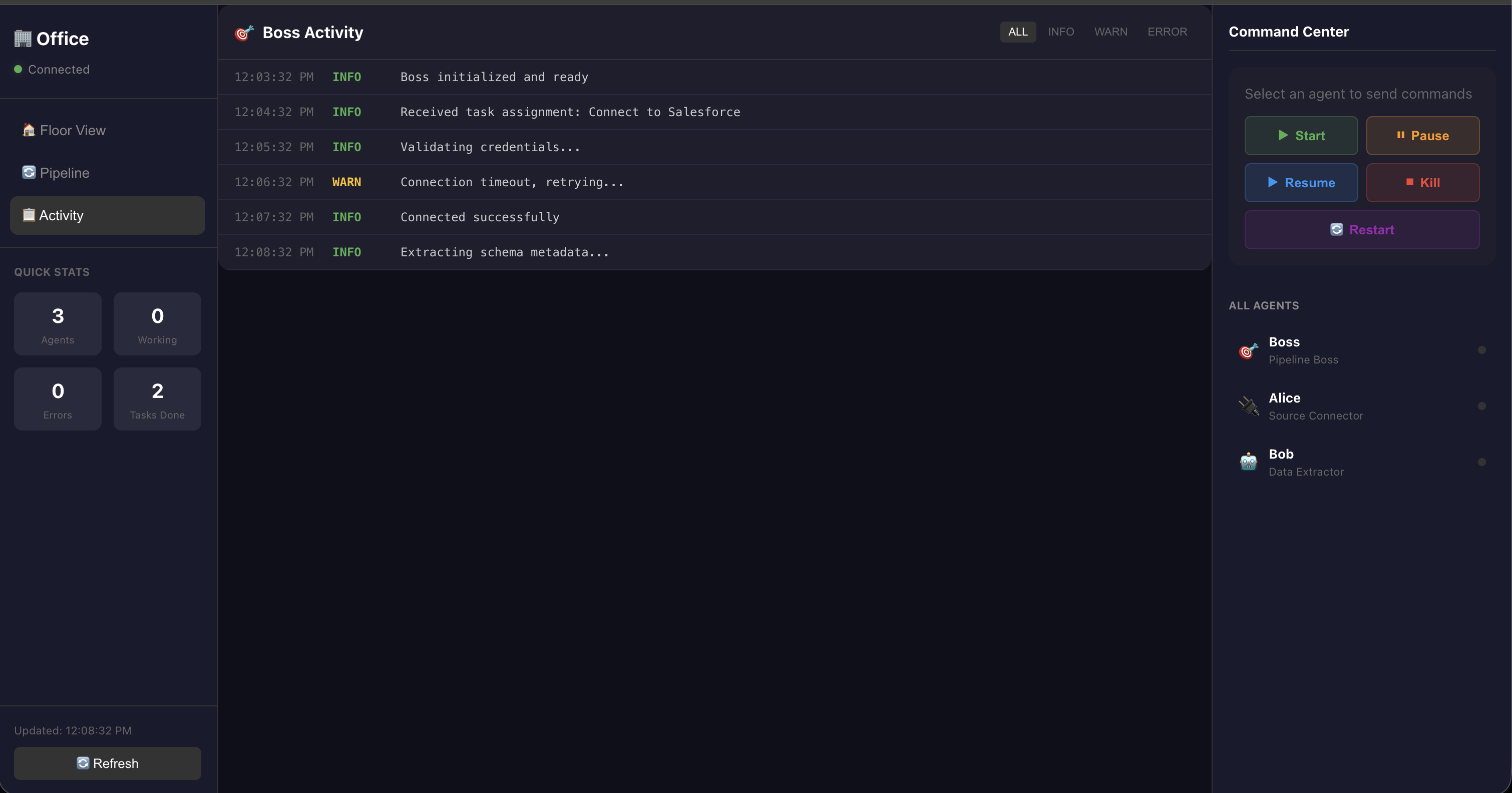
As you can see, I have 26 records in SF, and Bob got all 26 here:
SFDC - Account
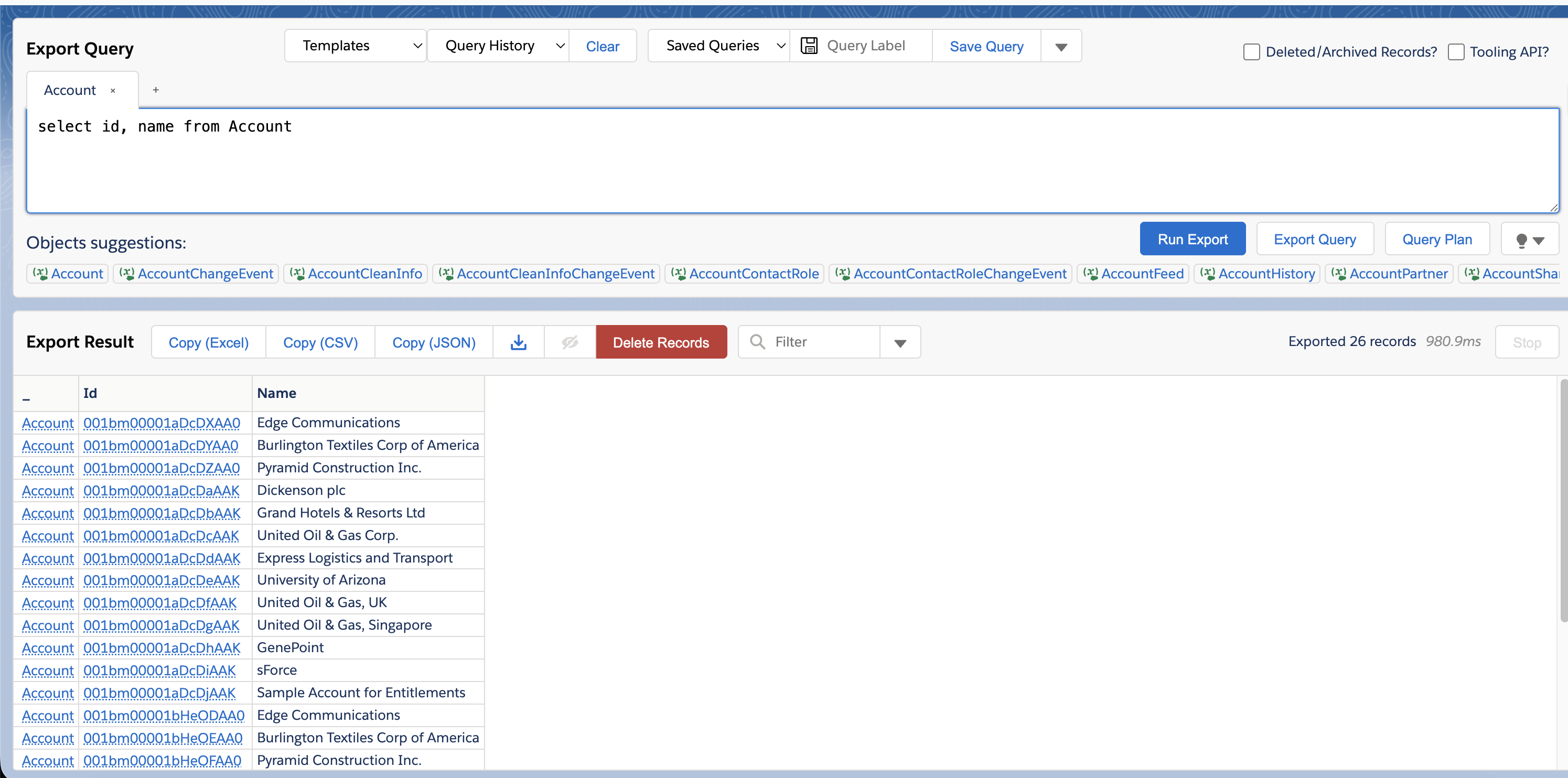 Bob - Extract
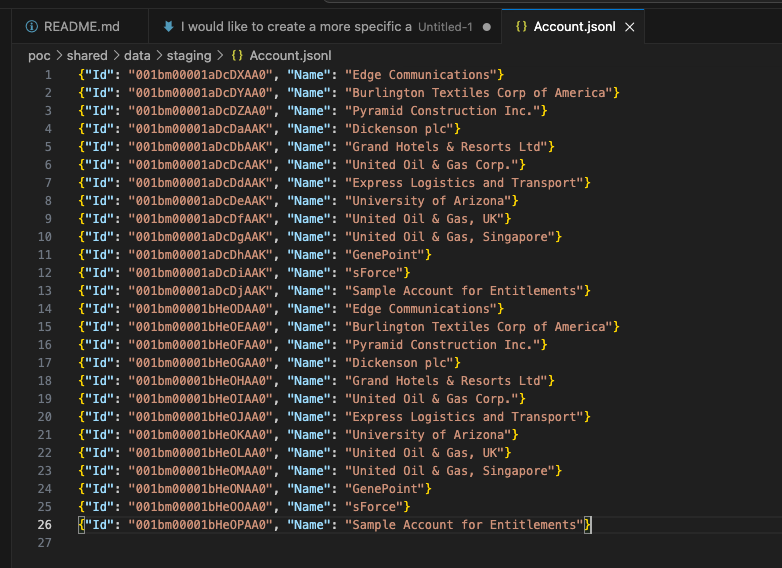
What I noticed: Link to heading
- When I ask Alice to connect to source, it will auto connect, and not only that, when there is an error Alice encountered, Alice was looking for a solution on its own
- Tried with different LLM models, it actually didn’t make a lot of difference for the output, the biggest difference is the time each agent is “thinking”
- Key is to define what you want them to do clearly
What’s next? Link to heading
I am going to continue building this out and see where this goes!!
There are so much more I need to build out, for example, the data extract details should include more details, and the overall view and color of this should look better in general.