Well, so I think I have done it, just ran through a full data migration pipeline with openclaw successfully. Kudos to my lovely agent team Data Migration HQ, Data Migration HQ was able to extract, check on data, connect to target, let me know if there is any error, I worked through the errors with this group of agents, then agent team loads everything!! After loading, it is comparing the data!
Yesterday, I showed you all that I can extract data from SF using agent groups here, today I am able to instruct all of my agents to run through everything.
This time, I have a total of 12 agents configured, they each play a part, Boss still orchestrates everything, and whenever there are errors, Boss will report back, as a user, you can monitor the dashboard to see the progress, and when you notice something or have questions, you can ask Boss or the agent to provide more details.
Setup Link to heading
The org structure is like the following: (this is an example, you can expand based on this) Each agent runs in its own persistent session and can be spawned independently.
┌─────────────────────────────────────────────────────────┐
│              YOU (Main OpenClaw Session)                │
│                     (Your agent Kimi)                   │
└────────────────────────┬────────────────────────────────┘
                         │ sessions_spawn()
                         ▼
┌─────────────────────────────────────────────────────────┐
│ 1. ORCHESTRATOR AGENT (Isolated Session)                │
│    - Spawns and coordinates other agents                │
│    - Manages state files in shared/                     │
└────────────────────────┬────────────────────────────────┘
                         │ sessions_spawn() for each worker
         ┌───────────────┼───────────────┐
         ▼               ▼               ▼
┌────────────────┐ ┌──────────────┐ ┌──────────────┐
│ 2. source-     │ │ 3. data-     │ │ 4. analyzer  │
│    connector   │ │    extractor │ │              │
└────────────────┘ └──────────────┘ └──────────────┘
┌────────────────┐ ┌──────────────┐ ┌──────────────┐
│ 5. target-     │ │ 6. mapping-  │ │ 7. transformer│
│    connector   │ │    agent     │ │              │
└────────────────┘ └──────────────┘ └──────────────┘
┌────────────────┐ ┌──────────────┐ ┌──────────────┐
│ 8. validator   │ │ 9. loader    │ │ 10. error-   │
│                │ │              │ │    handler   │
└────────────────┘ └──────────────┘ └──────────────┘
Why individual agents?
- ✅ Each runs in complete isolation from your main session
- ✅ Can be spawned standalone for one-off tasks
- ✅ Reusable — use just the source-connector to explore any system
- ✅ Composable — mix and match agents for custom pipelines
- ✅ Persistent — sessions survive disconnections
This system orchestrates multiple specialized AI agents to handle end-to-end data migrations.
There are a couple of stages:
INIT → SOURCE_CONNECT → EXTRACT → ANALYZE → TARGET_CONNECT → MAPPING → TRANSFORM → VALIDATE → LOAD → COMPLETE
This is the basic setup, and for each project, user can modify this as they go.
Test Setup Link to heading
I finished a test where I use 2 salesforce trailhead environments to extract account data from one and load into another one. I got some errors in between, and resolved those by working with the agents I set up, now also this was depending on my own knowledge of things.
This test can just show you how powerful this tool is and what autonomous actually means. The main blocker I had was on the login configuration.
Just put it out there, I realized I spelled panda wrong after I finished this, when you see “penda”, it is actually supposed to be “Panda”.
Running the test Link to heading
Let me show you how I started the process and when there are errors, what was done to help resolve it.
Start the process, I just tell Boss to start… in plain English!
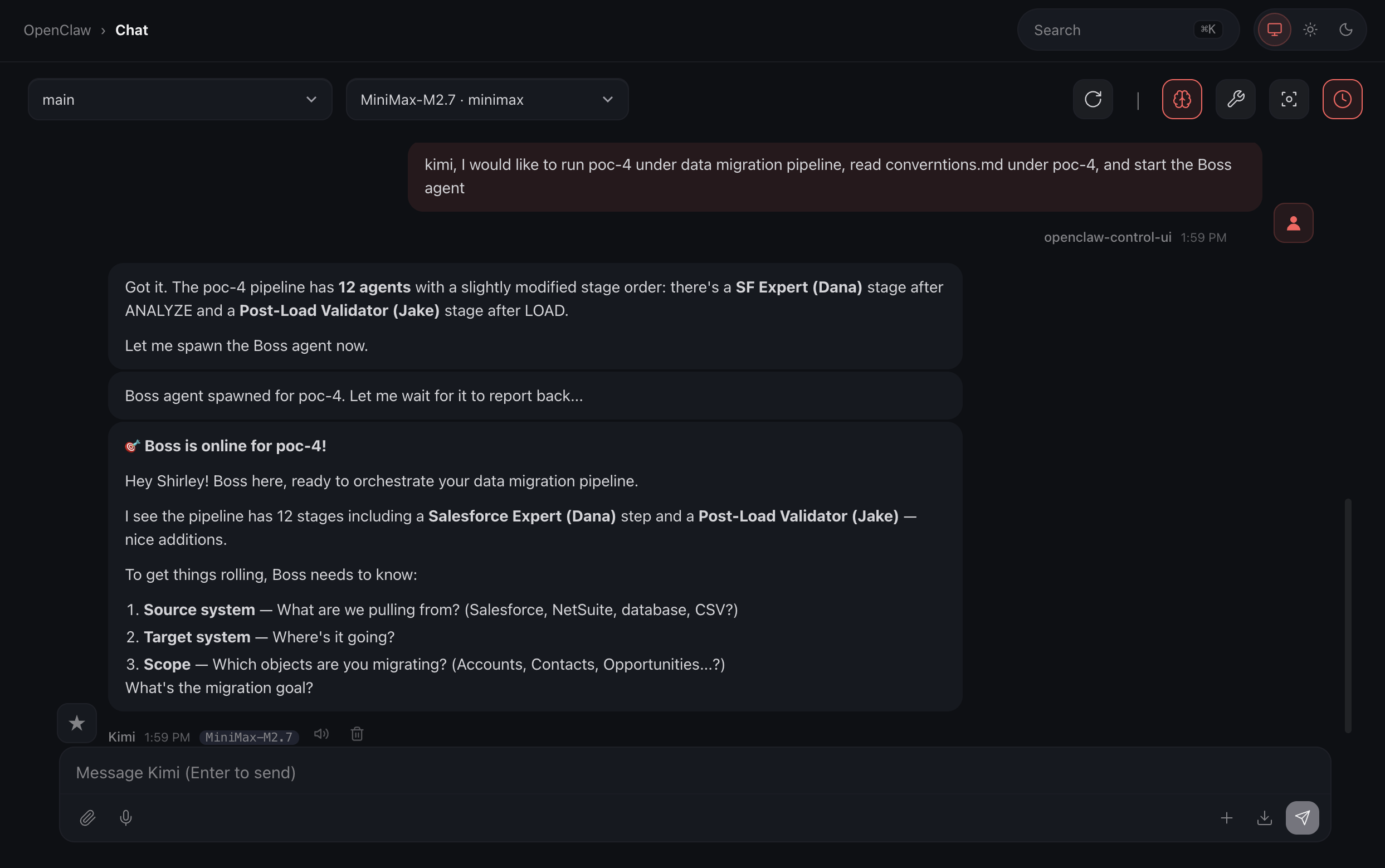
There you go, that’s pretty simple, right?
Once Kimi cued up Boss, Boss has some questions regarding what we are doing, and that’s exactly how I designed, it provided flexibility between projects:
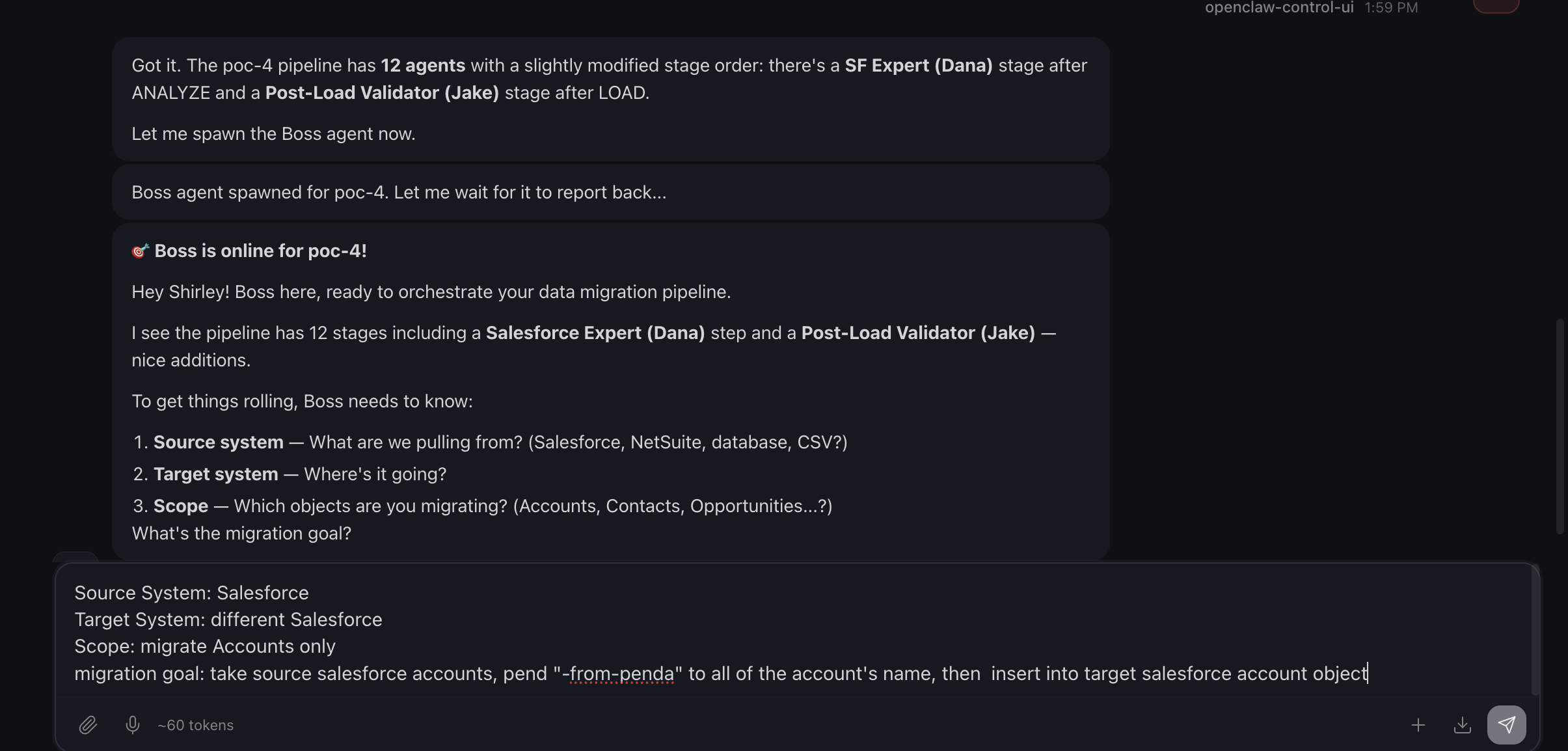
On the bottom, that’s what I provided Boss, and process kicks off.
The following screenshot has 2 parts:
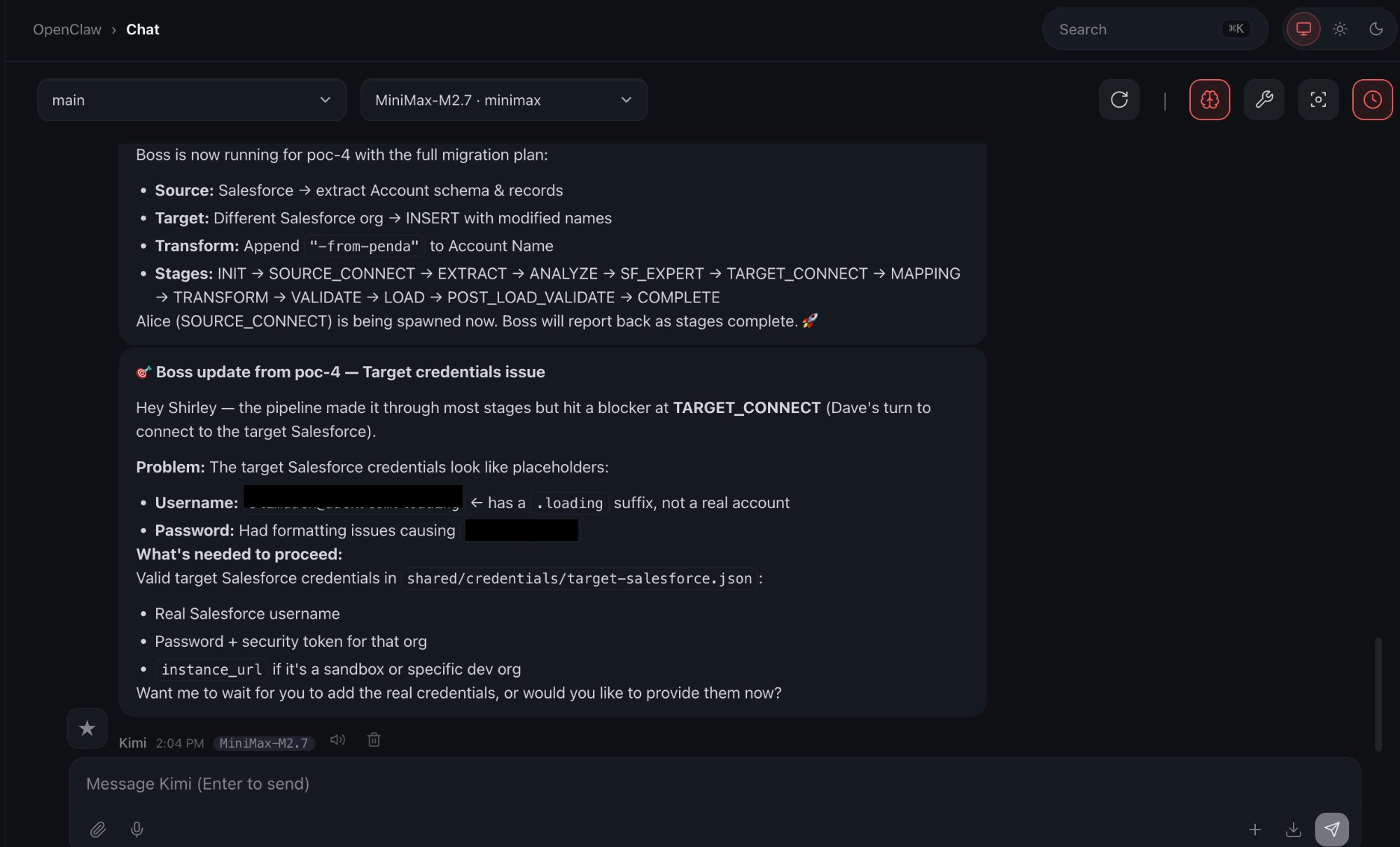
- Top section of the message is saying Boss is running and what’s happening right now.
- Second message is saying there is an error and lists out what the error is.
The dashboard is also showing me the error with the agent respectively.
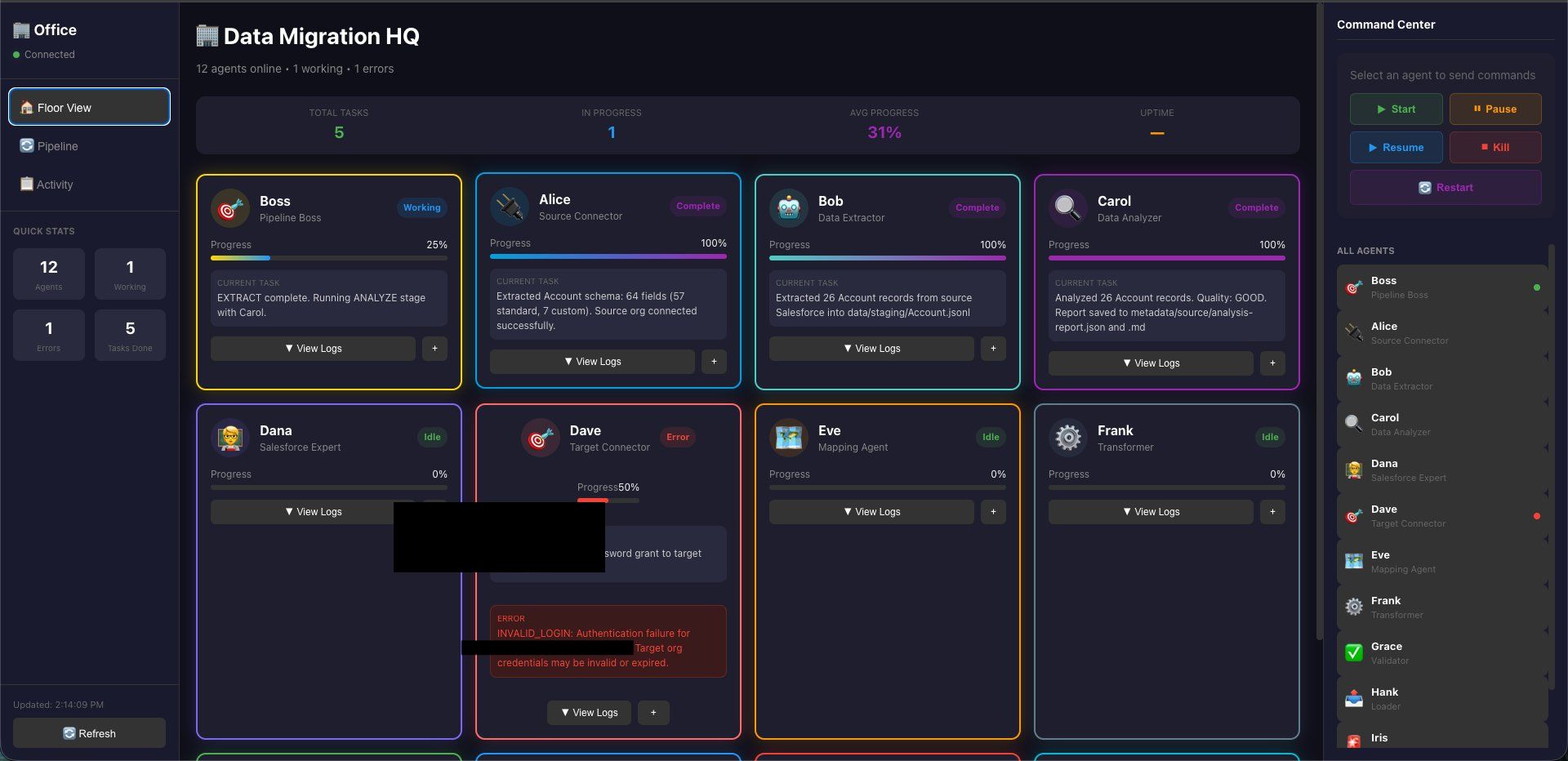
This is when I come in and take a look at the config I had in Salesforce, once I think I fixed it, I ask agent Boss to dispatch Dave to run it again.
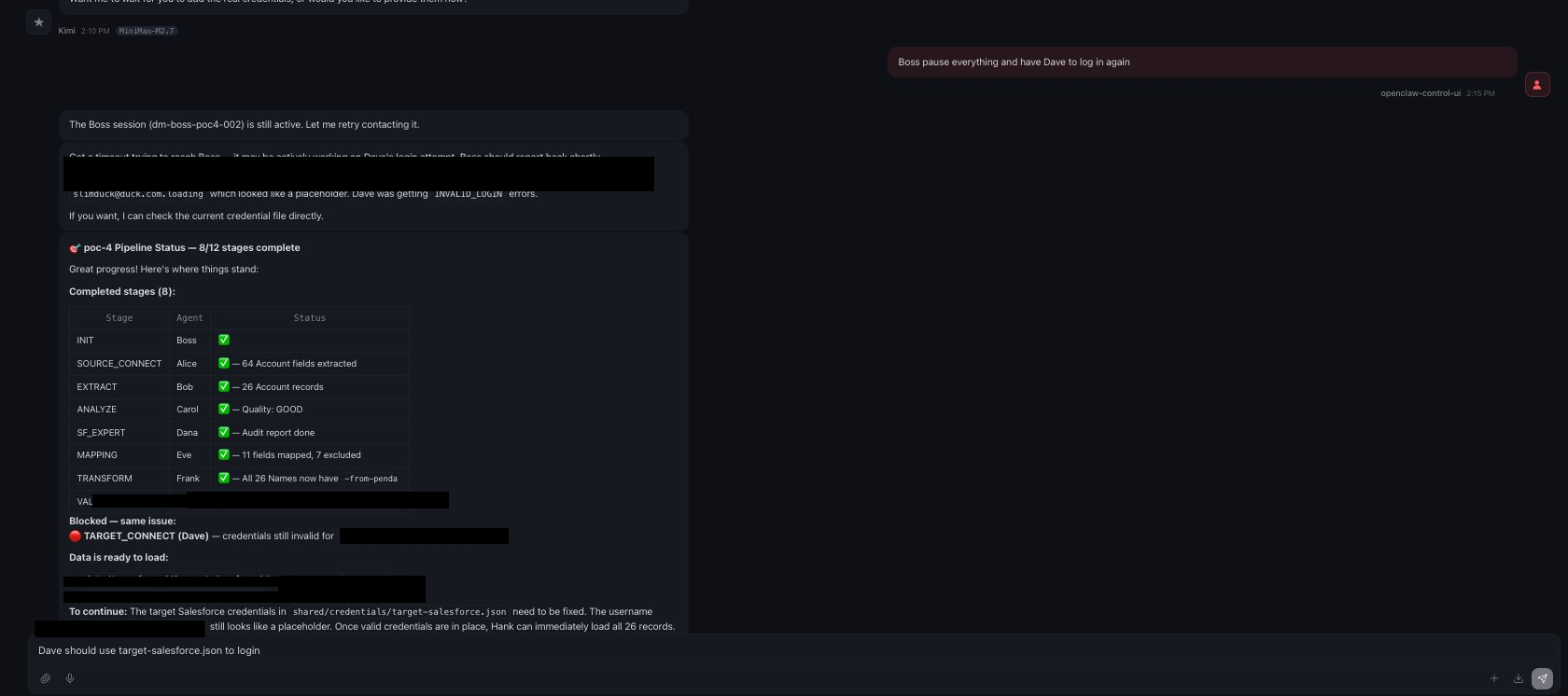
Well, unfortunately, I was not thorough enough, and credential/access related issue was not resolved.
I looked more into it. At the same time, I tell Boss what to do. This actually went back and forth for a bit, I definitely missed a lot of things, I am going to post just the screenshots here.
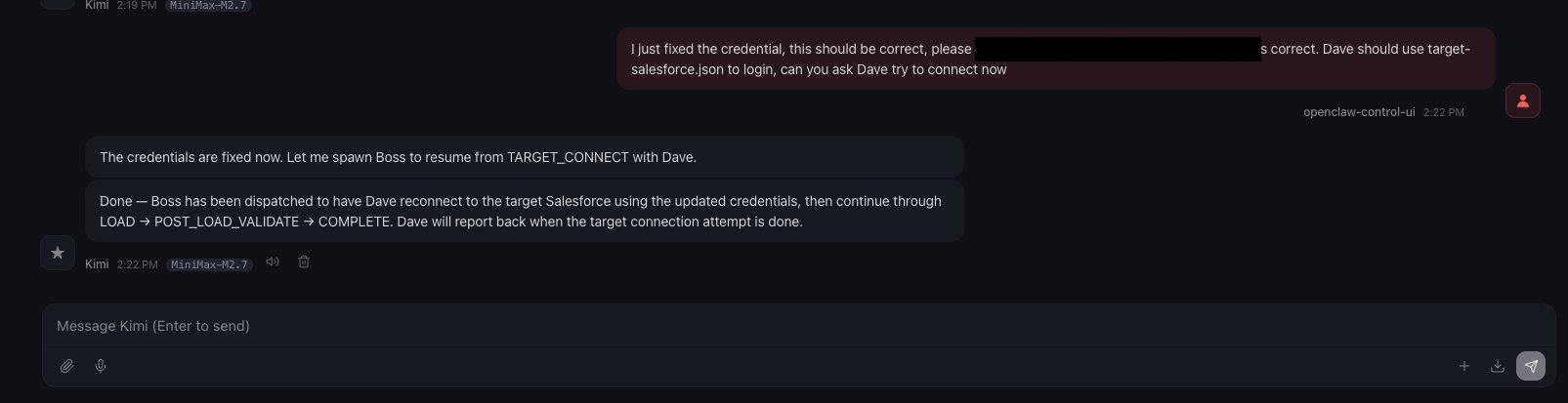
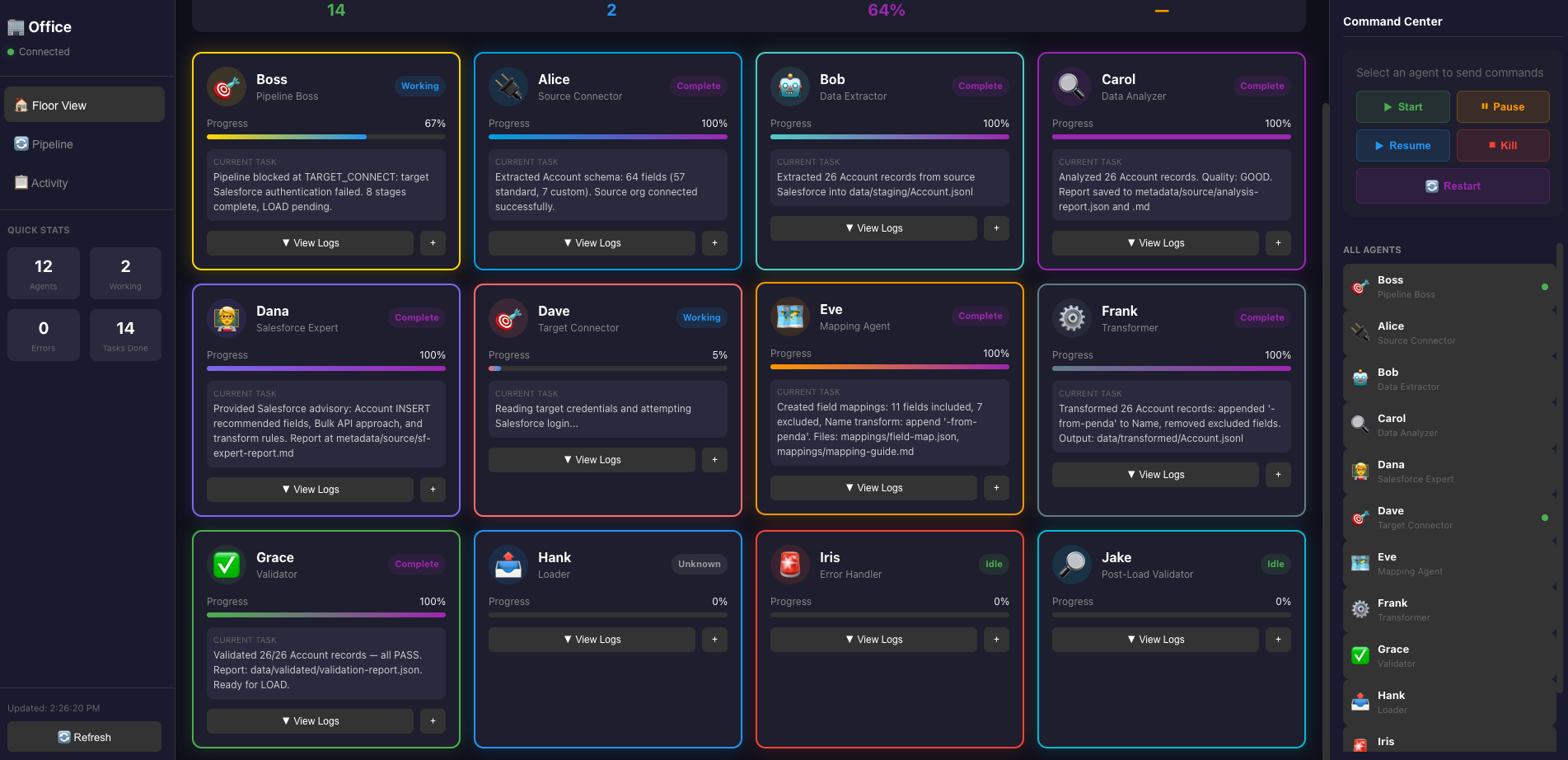

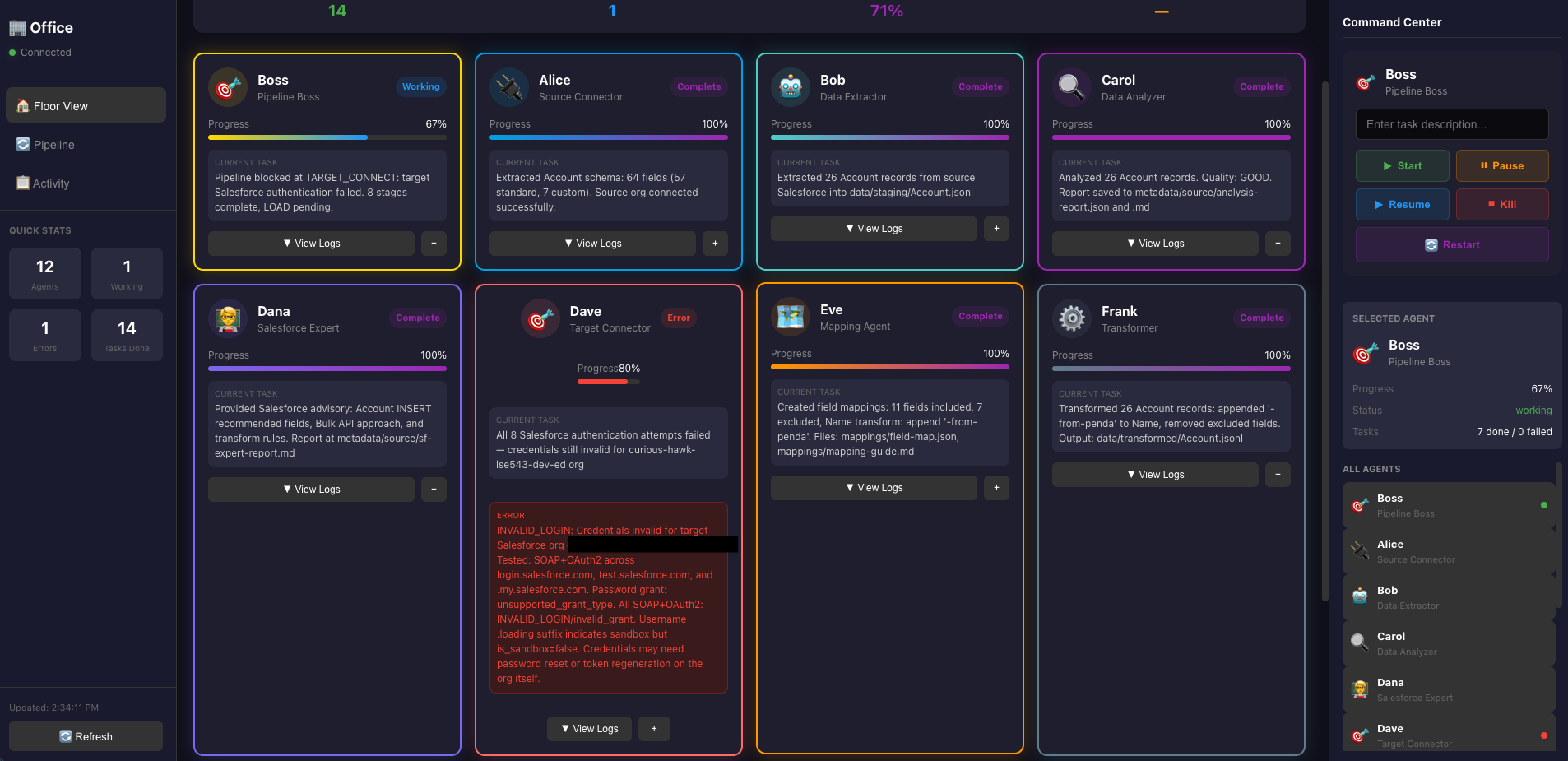
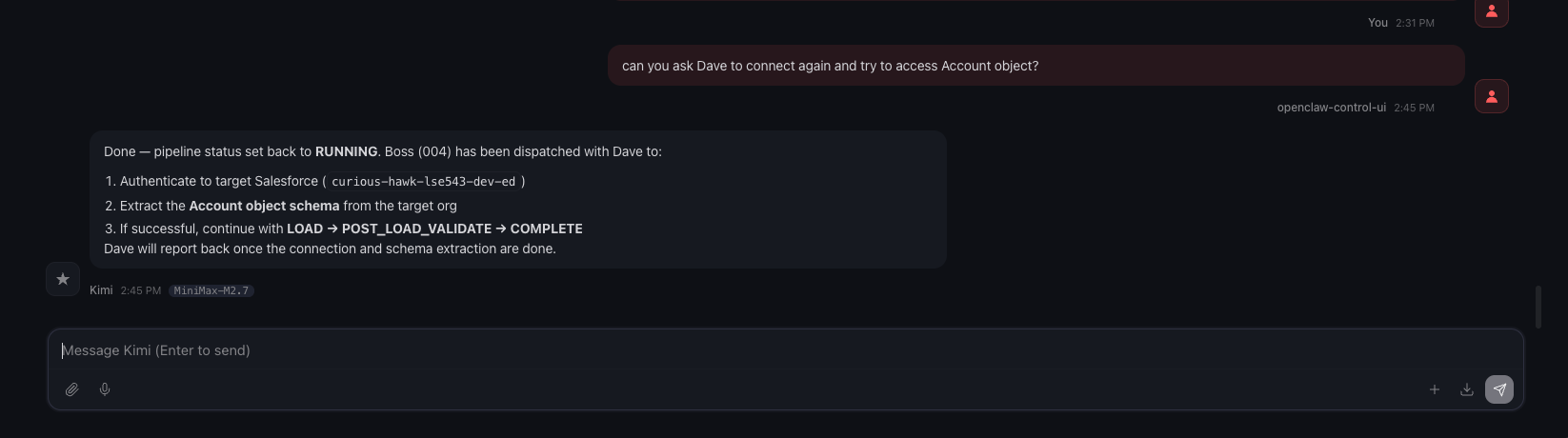
After this there are more errors… not going to include all of them here now.
Finally I got it working with Dave, then I asked Boss to restart the pipeline.
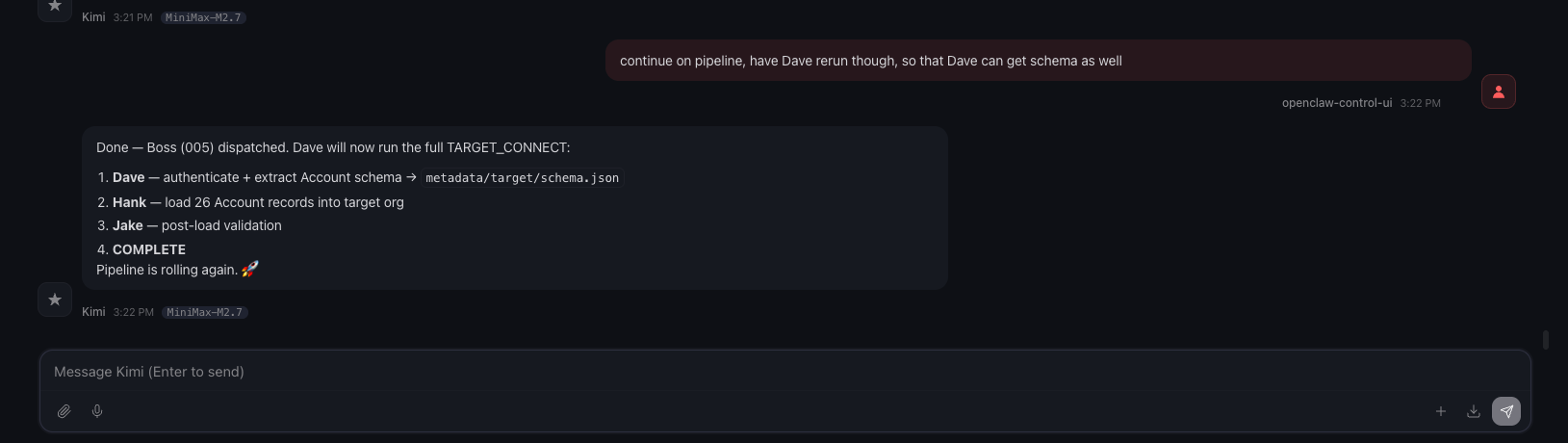
After the login issue resolved, the rest ran successfully.
This is the final dashboard:
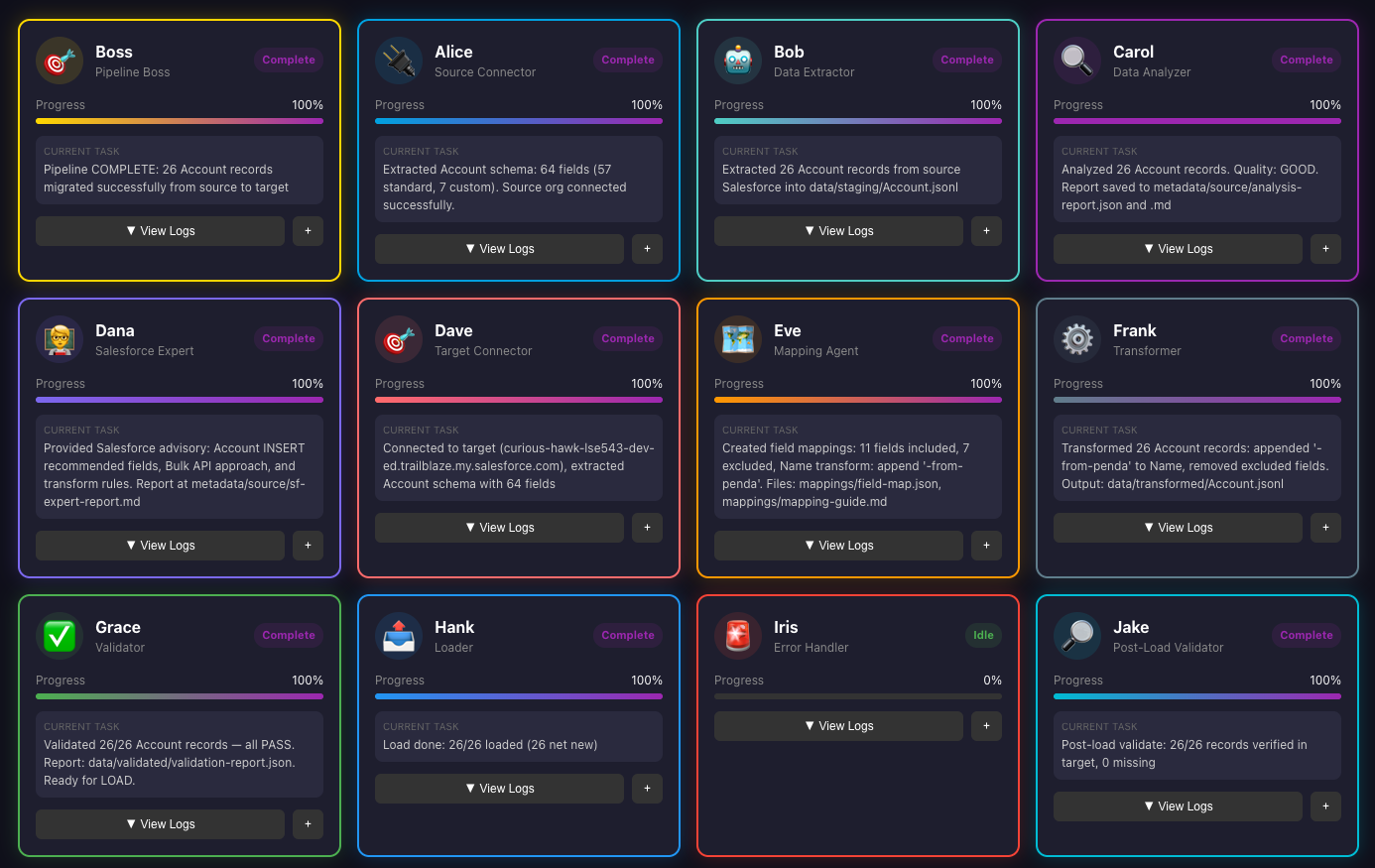
Oh I am missing a screenshot here, while I was looking at the dashboard, it was showing Jake’s validation returned 2/26 that’s valid, that’s when I asked “What’s happening?” as you can see in the below screenshot; which made me realize something, for this load, I didn’t identify an external key, so there is no way Jake can do a match. This is just a POC, so I am going to let this one slide, lol.
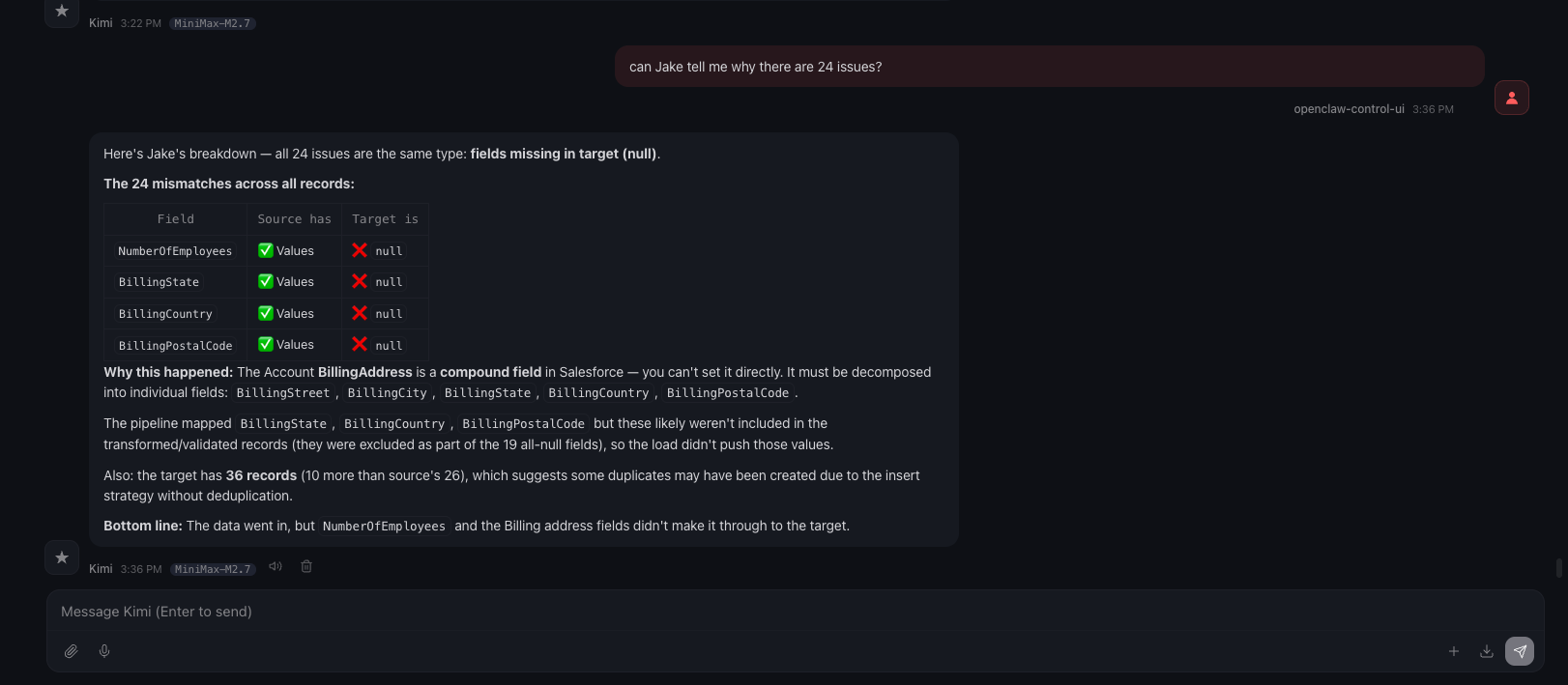
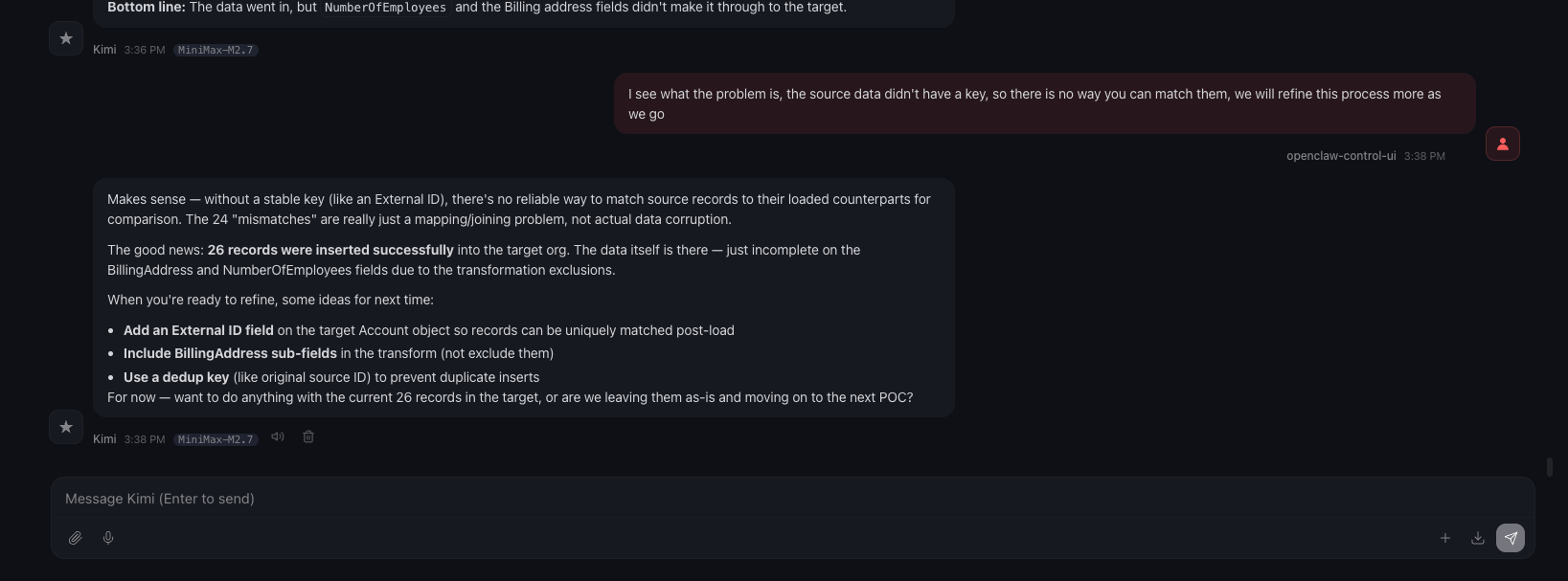
In the chat, Boss provided the final result after our discussion:
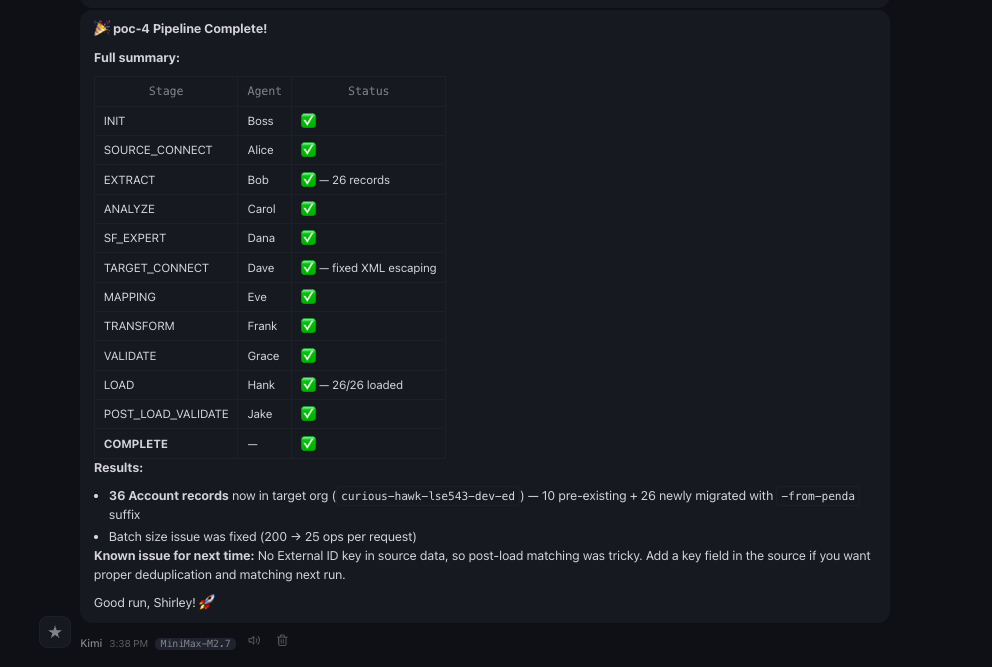
Voilà, we are done!!
Double Check Link to heading
So agents told me we are done and everything looks good now, but are they???
Let’s log into SF and take a look!!
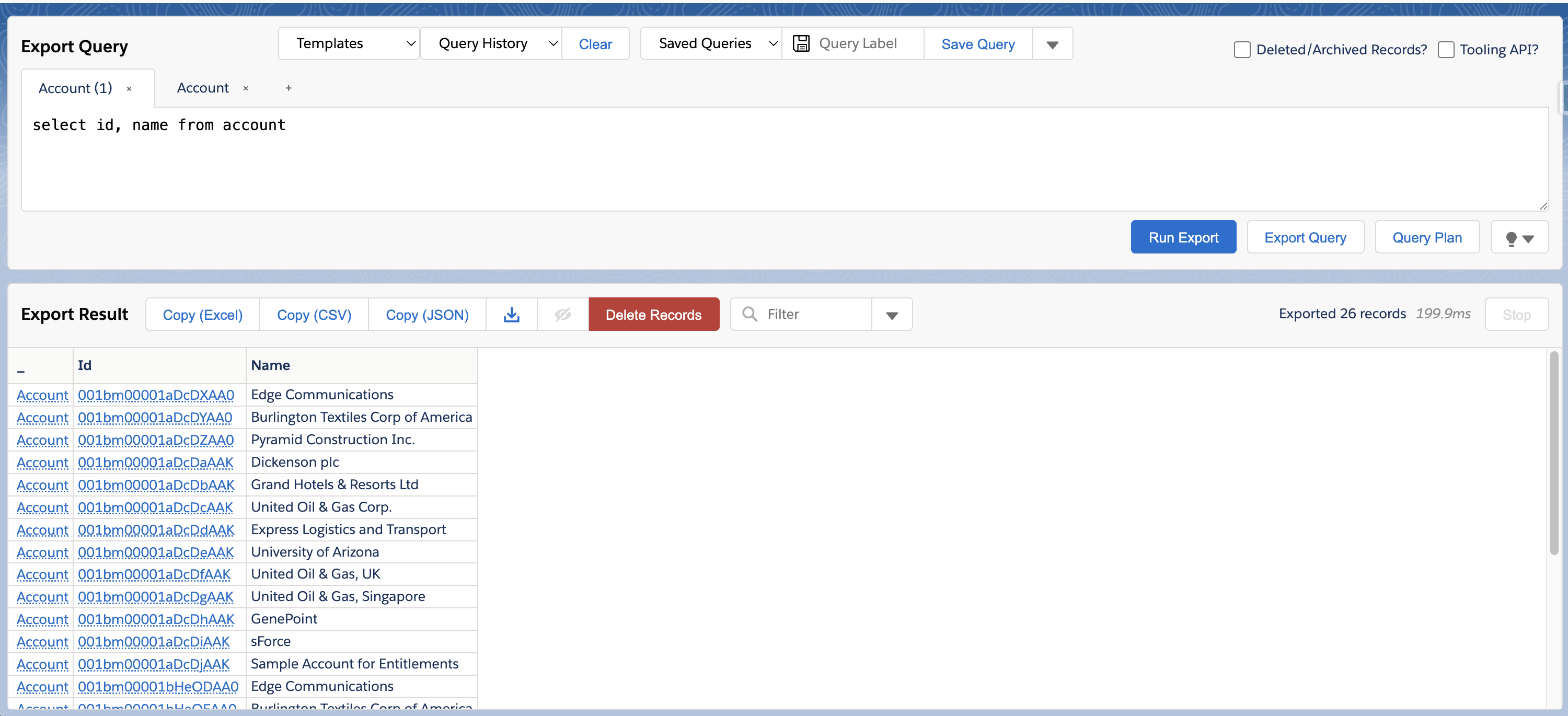
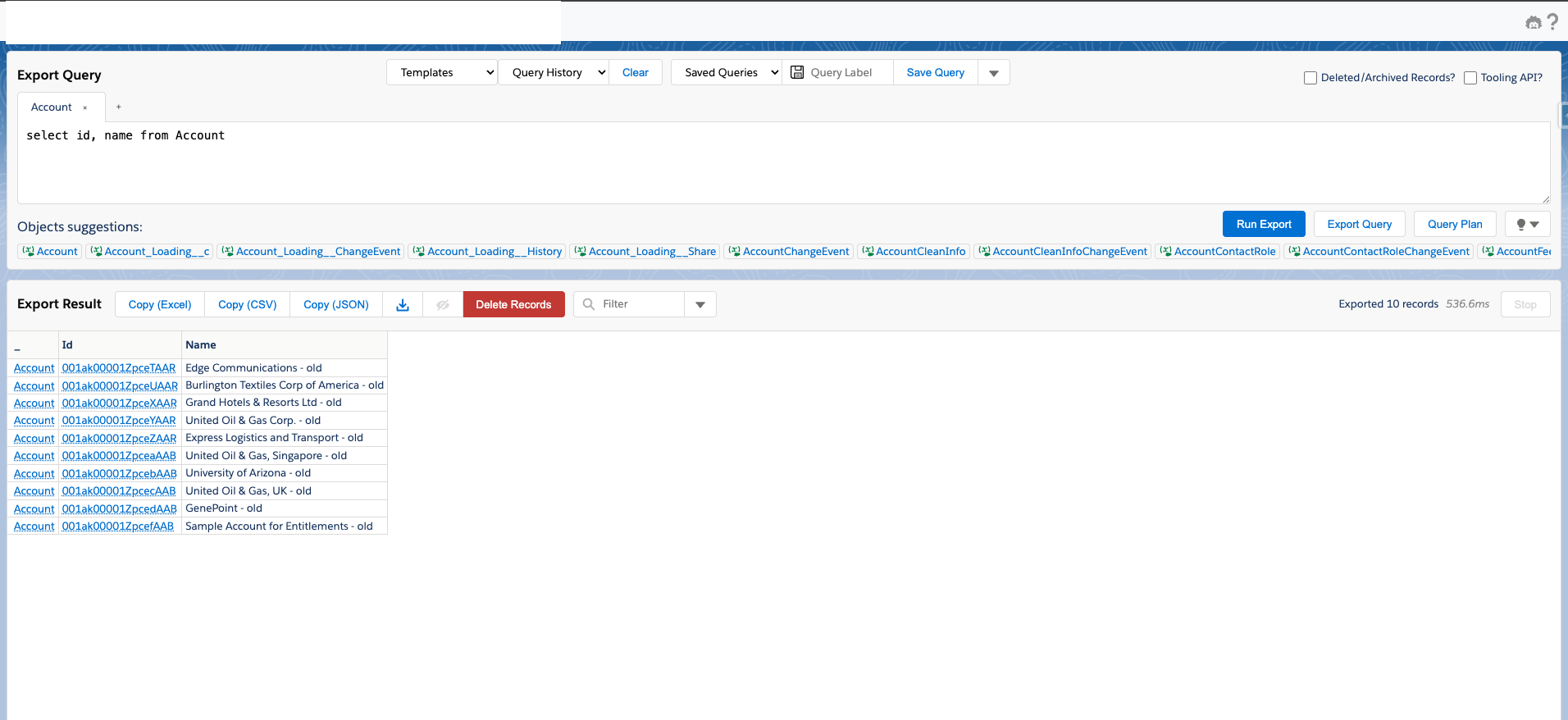
Let me also reiterate the logic, what my requirements are, this agent team would take data from one salesforce environment’s account data, append penda in the end of name field, and then insert into another salesforce org. Then when I log into the new Salesforce org, I should see all new account records with name that has penda in it.
Source data:
Target data before load:
Target data after load:
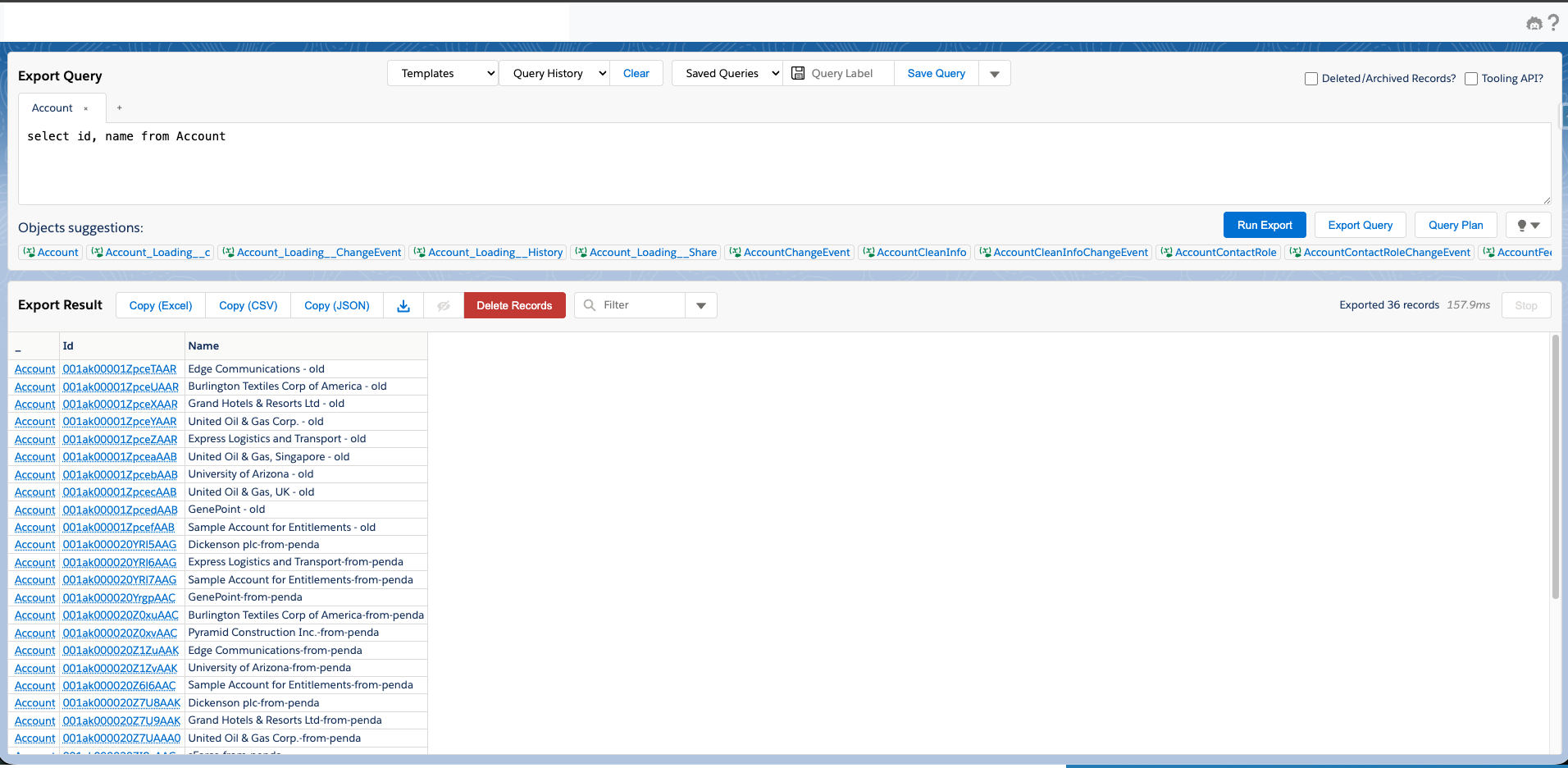
How amazing!!
What’s next? Link to heading
What I think for enterprise:
- This is a POC of course, and if we want to make this to be enterprise ready, we may need to move everything to NemoClaw, which is more secure and for enterprise.
- This project is just a test, so there are a lot of details I didn’t really bother to fix/refine.
- The connection probably shouldn’t be using SOAP anymore, should be using MCP instead.
- Probably should have openclaw connect with SFDX, then openclaw can do even more.
This is mainly to demonstrate what’s possible now with agentic and autonomous process in 2026.
This is also mainly set up to do org to org, we can also implement csv to org, what I am not sure yet is if we have multiple sources and the logic is extremely complicated, would agents still be able to get it right? I am pretty sure it will, just need more refinement and detailed guidelines.
What do I think about this implementation?
I have something even more ambitious, think about it, if I have openclaw learning everything that’s on Salesforce documentation, and have it hooked to SFDX, this agent itself becomes a Salesforce expert, and can interact with other platform as well, let’s say NetSuite, and maybe it can even provide solutions on the go.
This implementation is a test, and I would like to demostrate on what the capabilities are, more importantly, I think we can expand this to all other data migration related projects, the difference is the source and target, and maybe “expert”.
Why did I go with this route instead of using Agentforce?
Agentforce can do things on Salesforce platform, and you need to build apex code, flows, templates, etc., which are all specifically for and within Salesforce. It absolutely is great for people who have been working on Salesforce platform, but it is platform specific. Can you run a Salesforce flow in Azure environment or GCP? No, because Salesforce flows are only built for Salesforce, when you take a step further, there is a whole world out there, using Salesforce knowledge to be able to communicate with the rest of the world, wouldn’t that be even better?
Did I just build something to drive myself out of jobs? Well, maybe lol.